waveqi
Music production & performance
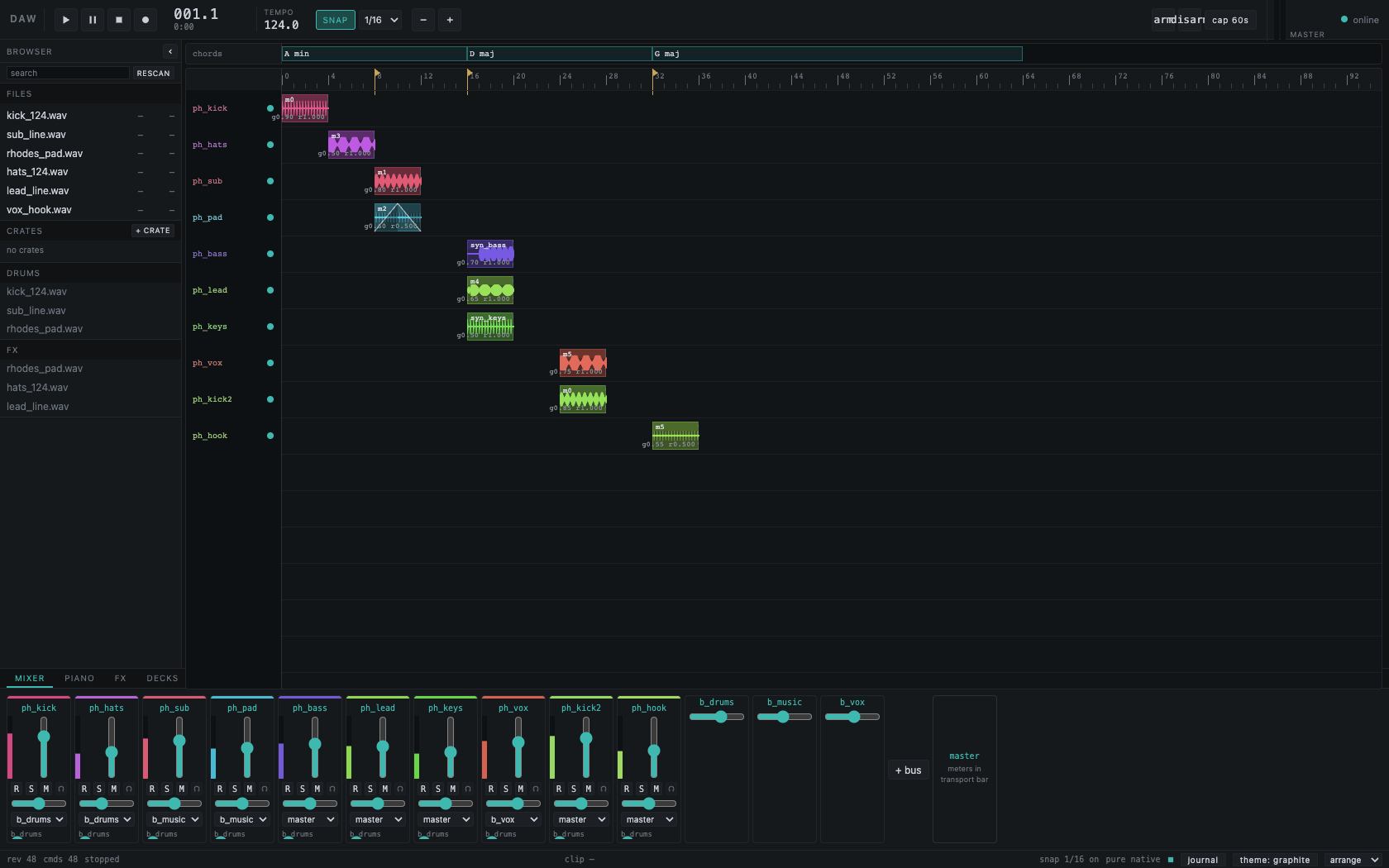
Arrangement
Bring the parts together.
See where the rhythm, bass and melody enter. Place audio across named tracks, keep chord changes above the timeline, and move from the whole arrangement to the individual parts without leaving your session.
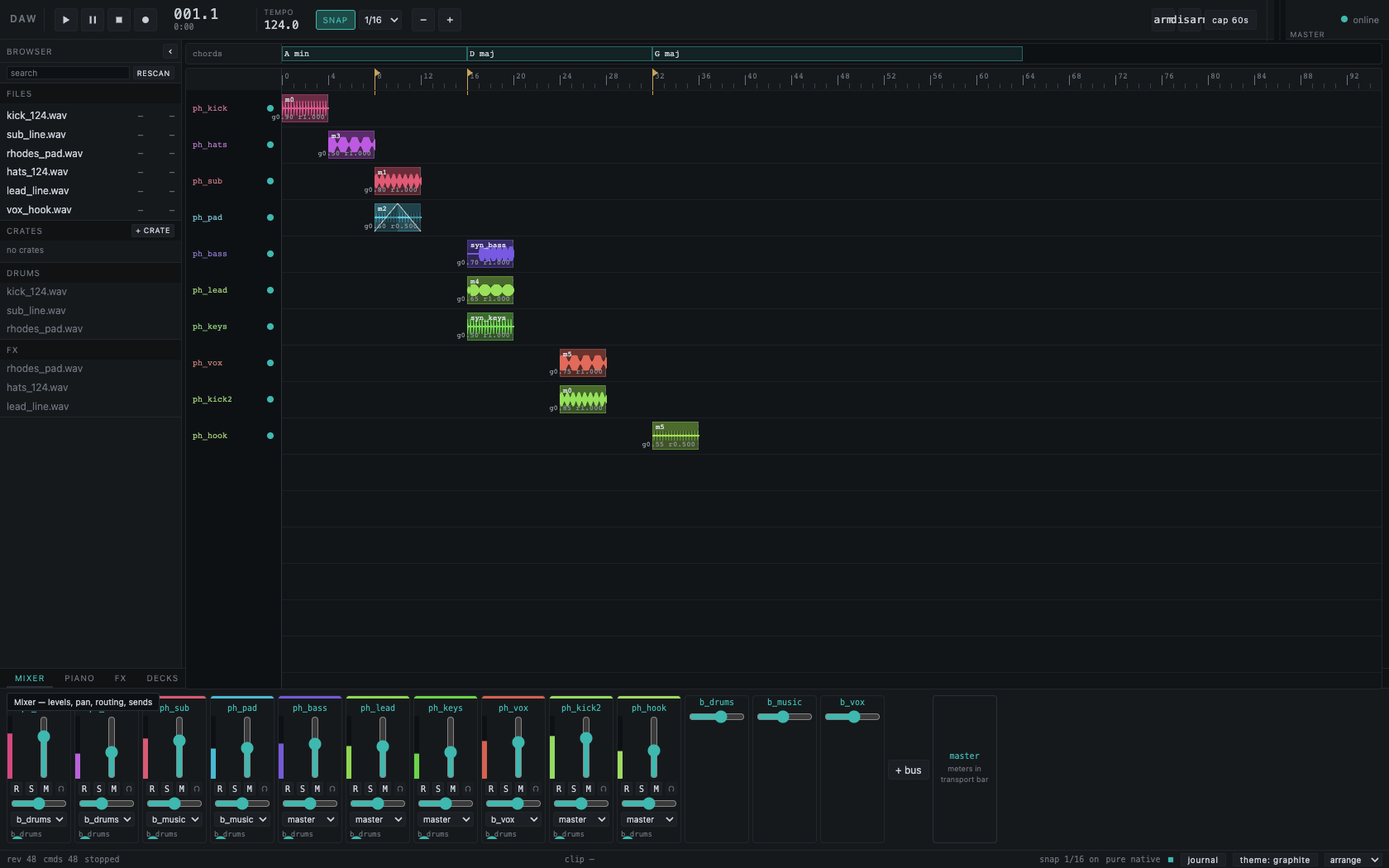
Mixer
Balance the channels.
Move from the arrangement to individual channel strips. Track names and colors carry through, with level, pan, mute and solo together in each strip.
Routing and audio behavior are still being developed and tested.
Explore the full mixer screenshot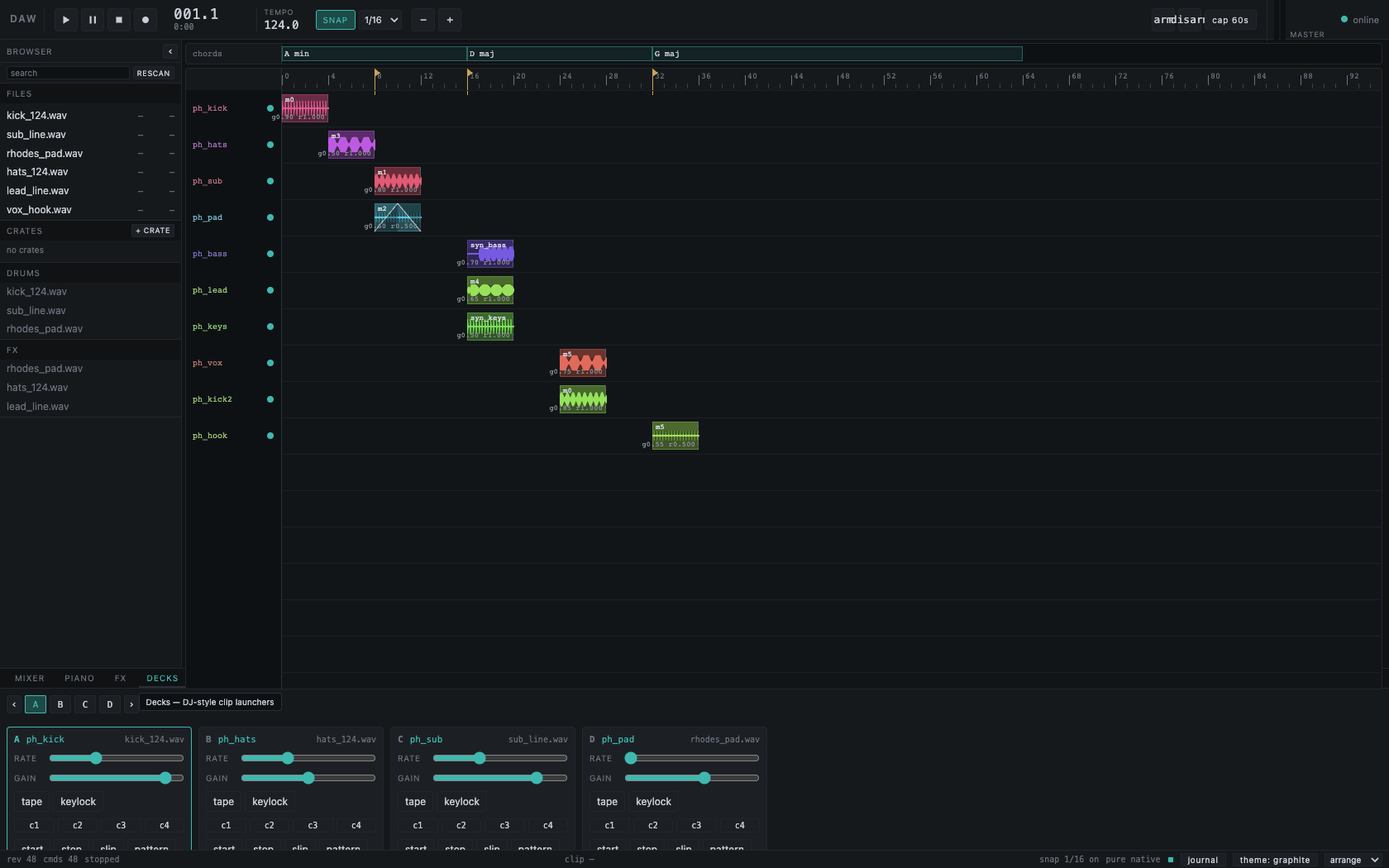
Performance
Take it to the decks.
The same session opens onto a dedicated deck workspace. Inspect loaded audio, rate and gain controls, tape and keylock options, and cue slots in the current development build.
A preview of the direction, not a finished live performance rig. These are still images, not a playable demo.
Explore the full deck screenshotAbout Waveqi
An independent instrument
in the making.
Waveqi is being built around a shared session for music creation and performance. Explore the project and what is still ahead.
More about Waveqi